
AI video tools for your WordPress site
Turn product photos into AI videos for your WooCommerce product gallery with Pro. Create, manage, and embed videos in posts and pages with Free.
VidFlow AI Pro
Product videos and tools for larger projects
Organize projects, queue video batches, combine clips, and manage your video library.
Pro
Product Videos for WooCommerce
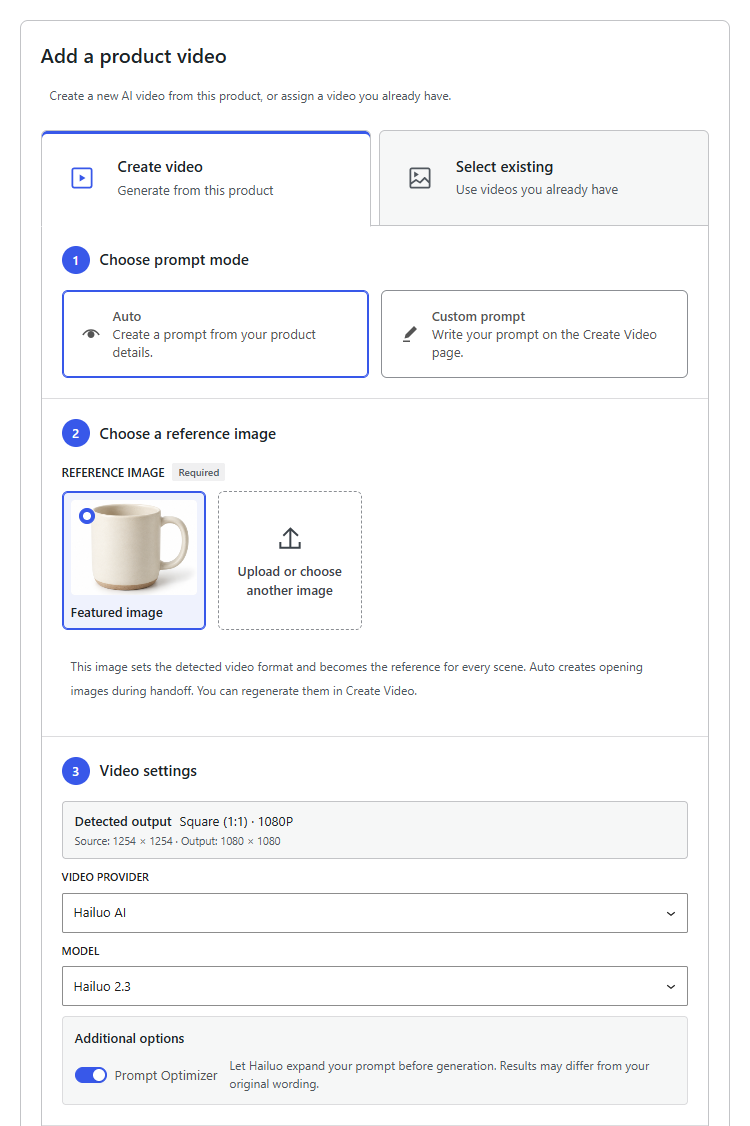
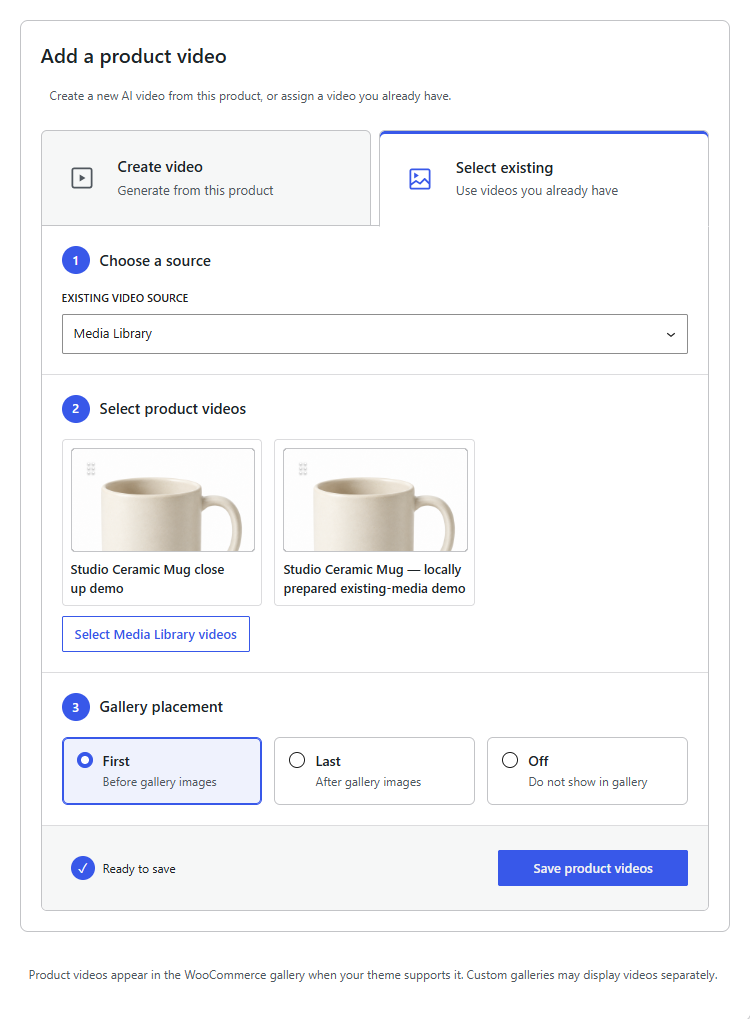
Add up to 20 ordered videos per product from completed VidFlow jobs, compatible Media Library videos, or new generation from reviewed product context. Product Videos is included in all Pro options.
- First, Last, or Off placement in supported product galleries
- Auto scene planning and Custom prompts
- Bundled Product Video styles for Auto scene planning
- Gemini opening image preparation and review for each Auto scene
- Full storyboard review before generation
Explore the complete Product Videos workflow or read the preparation and review guide.
Product Video controls
Pro
Projects & assets
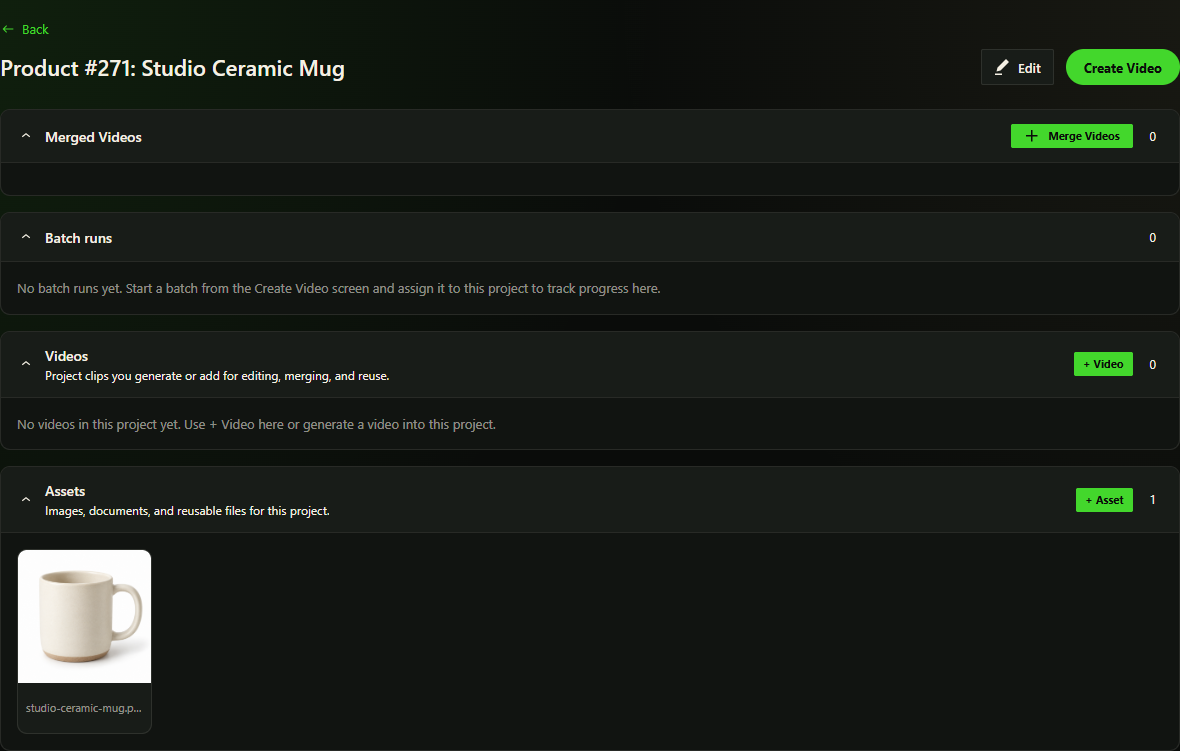
Organize videos by campaign, client, or series. Assign generations to projects, manage project videos, and reuse project assets in the Create flow.
- Project assignment from the Create flow
- Project videos, thumbnails, and media metadata
- Reusable project assets and reference frames
Projects & assets
Pro
Batch runs & prompt templates
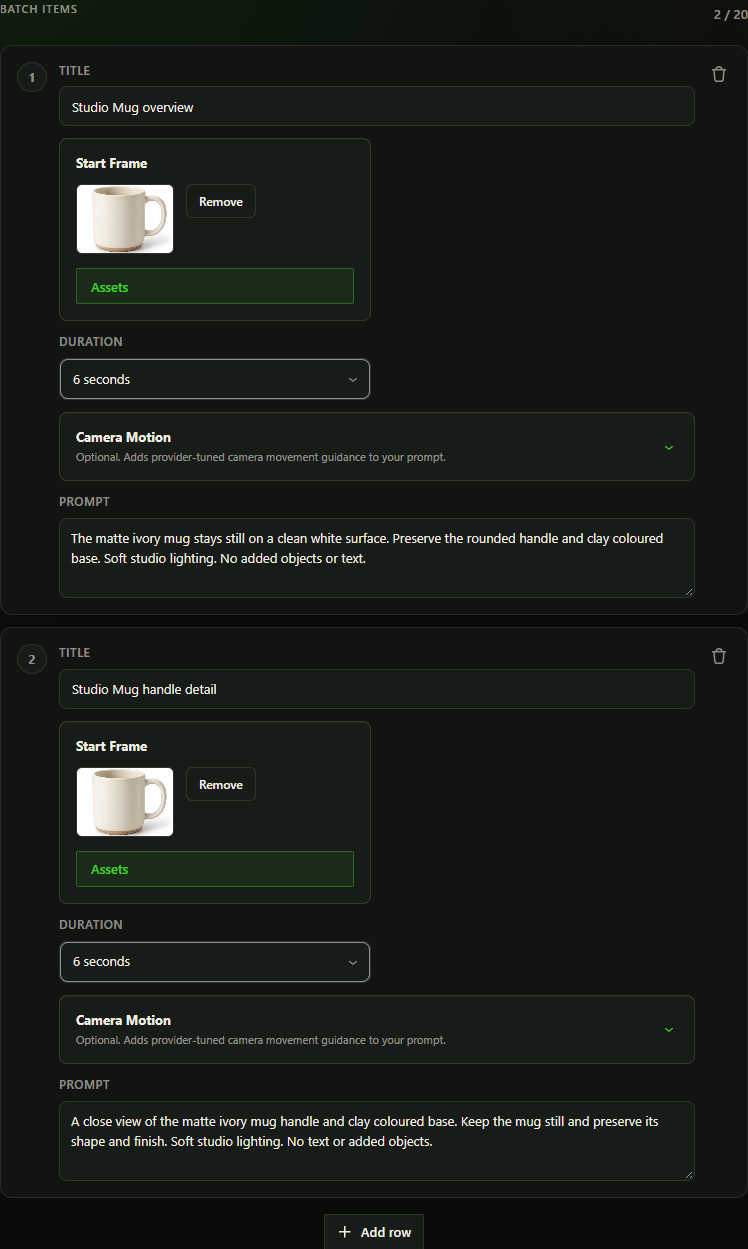
Queue multiple video requests, track each item, and reuse saved prompts or history. Provider limits govern processing; Google batches run sequentially.
- Per-video progress tracking
- Per-item retry controls for failed generations
Batch drafts
Pro
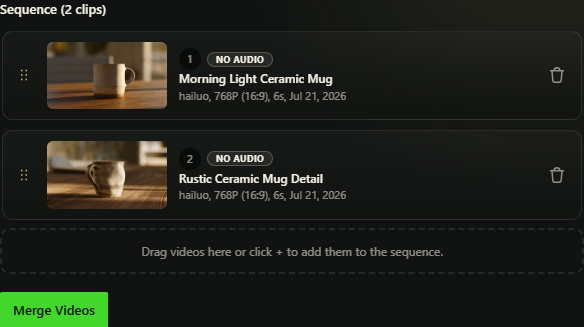
Merge videos
Arrange compatible clips in an ordered sequence, then combine them into one video in your browser using the Mediabunny JavaScript library.
- Drag-and-drop clip ordering
- Audio, orientation and format compatibility checks
- Browser-based merging of compatible clips
- Publish merged videos to YouTube, with more destinations planned
- Embed the finished video with the VidFlow block or shortcode
Read the merge workflow guide or learn how to embed merged videos.
Merge sequence editor
Pro
Create & Library tools
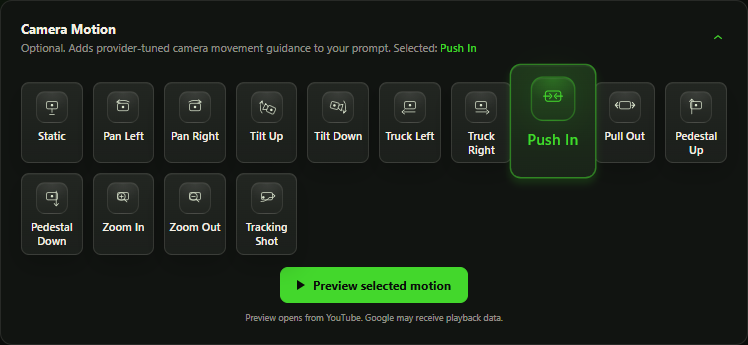
Reuse prompts and past settings, choose supported camera motion, and find useful clips in a larger library.
- Saved prompt templates and generation history
- Model-aware camera motion for Hailuo and Google
- Favorites, prompt search, date ranges, sorting and advanced library filters
Camera motion
Free version
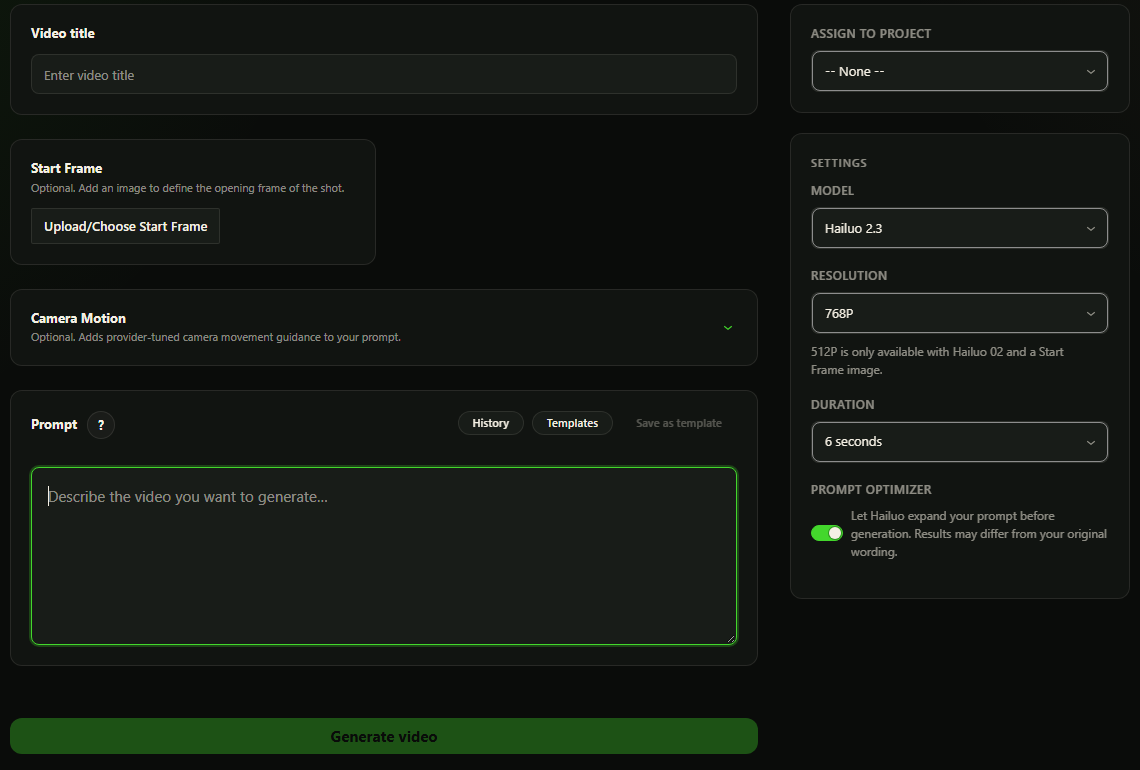
Create your next video
Give your video a title, describe what you want to see, and choose your provider settings. Find the result in your Video Library.
- Video titles and text prompts
- Provider-specific generation settings
- Video generation with Hailuo and Google
- Saved jobs tracked in the Video Library
Create Video
Free version
Text & image to video
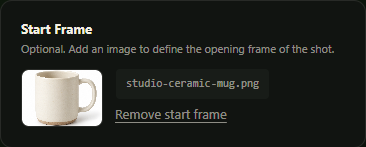
Start from a text prompt and add supported start-frame reference images or compatible end-frame controls when the selected provider supports them.
- Text-to-video with your connected providers
- Start-frame reference image support
- Model-specific image and generation controls
Start frame
Free version
Video Library
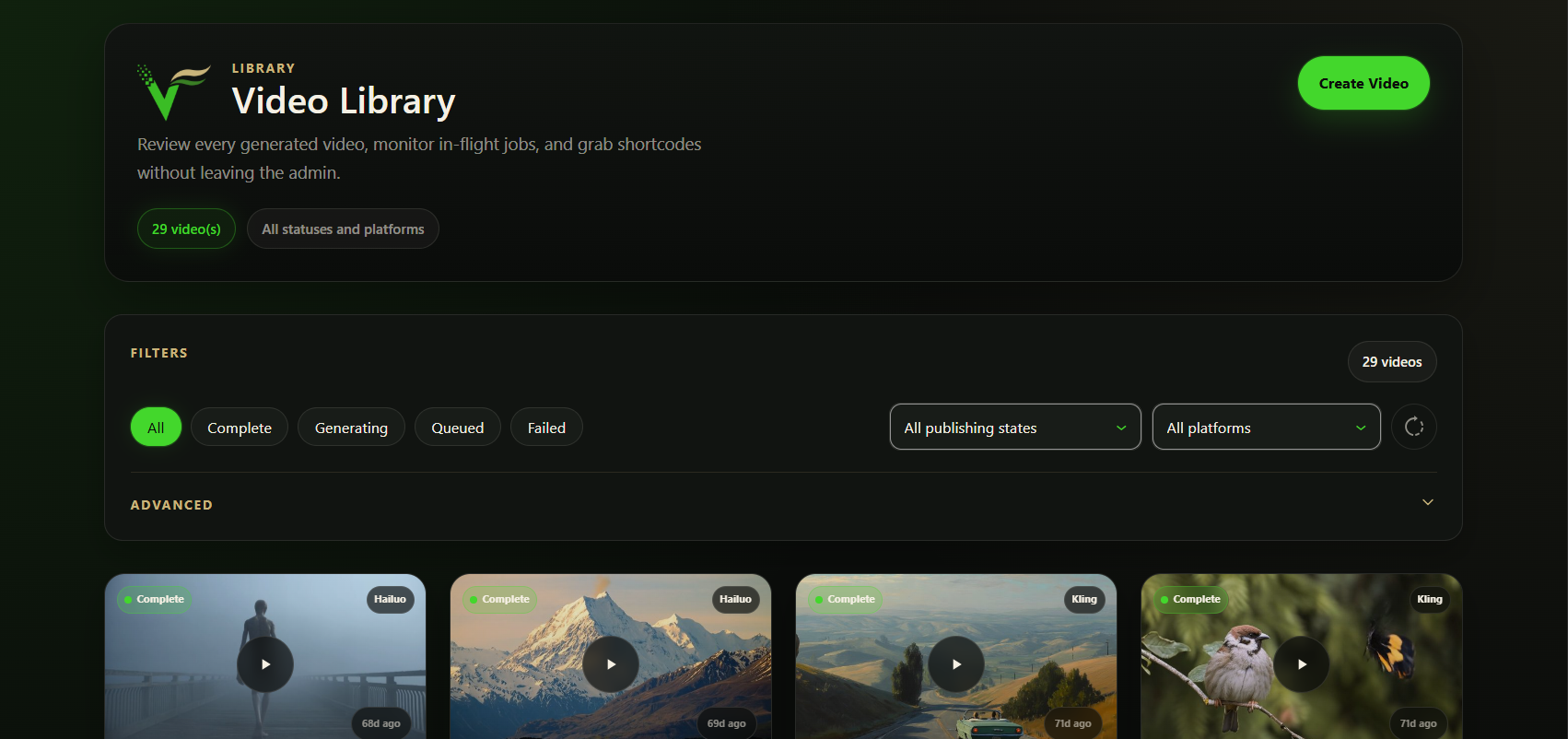
Every generation is tracked in the Video Library with status filters, previews, shortcode copy, retry, revoke, delete, download, and publishing actions.
- Status tracking for queued, generating, complete, and failed jobs
- Filters for status, publishing state and platform
- Retry controls for failed jobs
- Saved prompt data for failed-job retries
Free version
Gutenberg block & shortcode
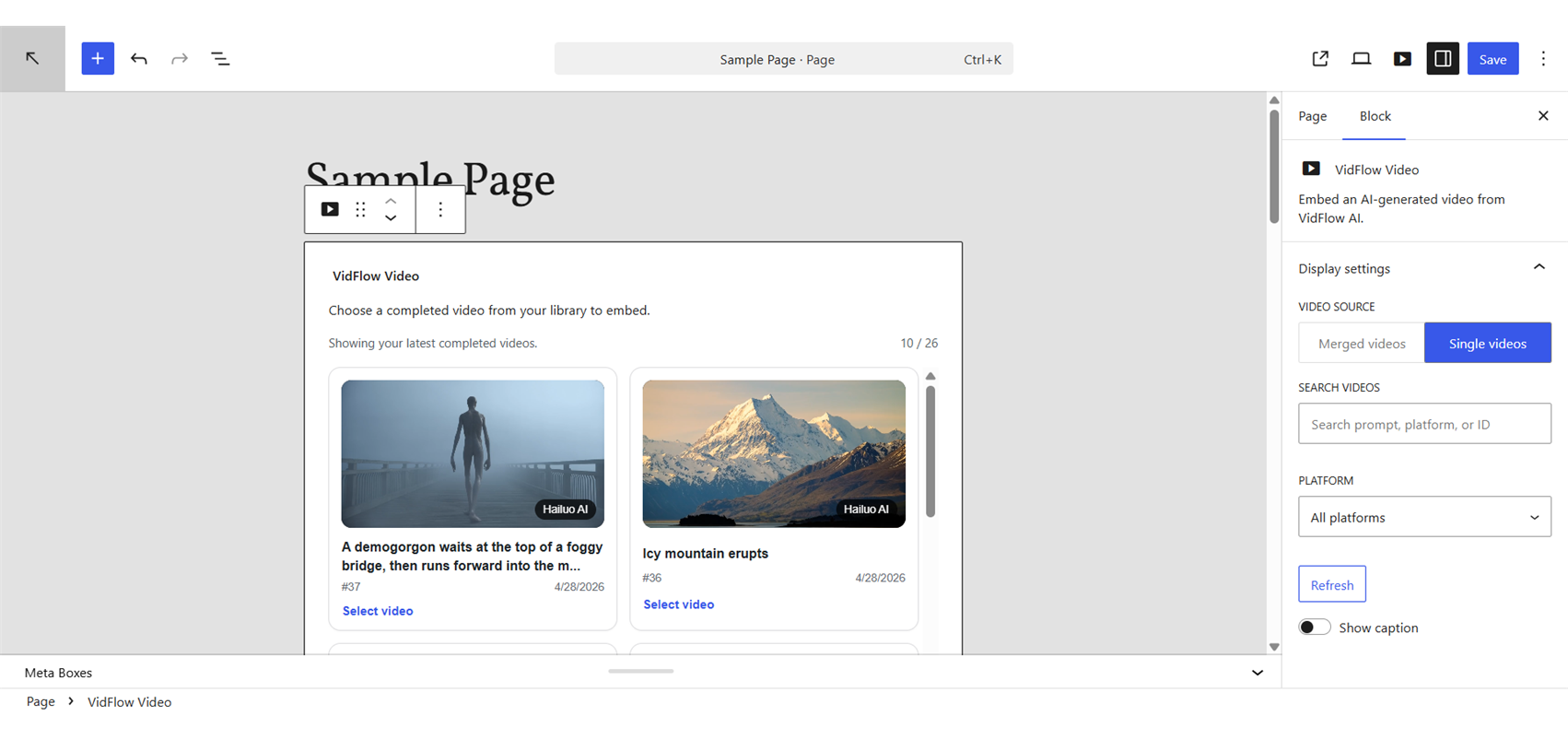
Embed generated videos with the VidFlow block, Gutenberg sidebar support, or the shortcode for Classic Editor users. We recommend publishing completed videos to YouTube before embedding and selecting its published player to reduce video bandwidth and playback load on your WordPress hosting.
- VidFlow Video block and shortcode embeds
- Responsive video output
VidFlow Video block
Free version
Generation that keeps running
Submit your video and keep working. VidFlow checks its progress through WordPress background tasks, even after you close the editor.
- Automatic background generation status checks
- Completed results saved in the Video Library
From request to library
- Submit your video
Your prompt, frames and settings stay with the saved job. - Keep working
WordPress background tasks check provider progress. - Return to your library
Review the result when generation completes.
Workflow illustration
Free version
Provider settings
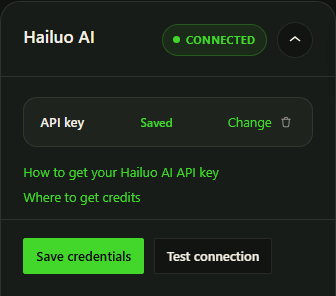
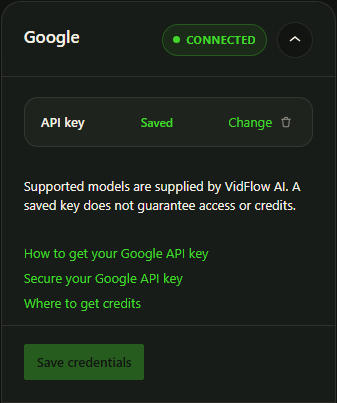
VidFlow uses plugin-managed settings for protected provider credentials, connection tests, completion audio, publishing destinations, media import limits, and uninstall controls.
- Encrypted credential storage on your WordPress site
- Connection tests for supported providers
Provider connections
Free version
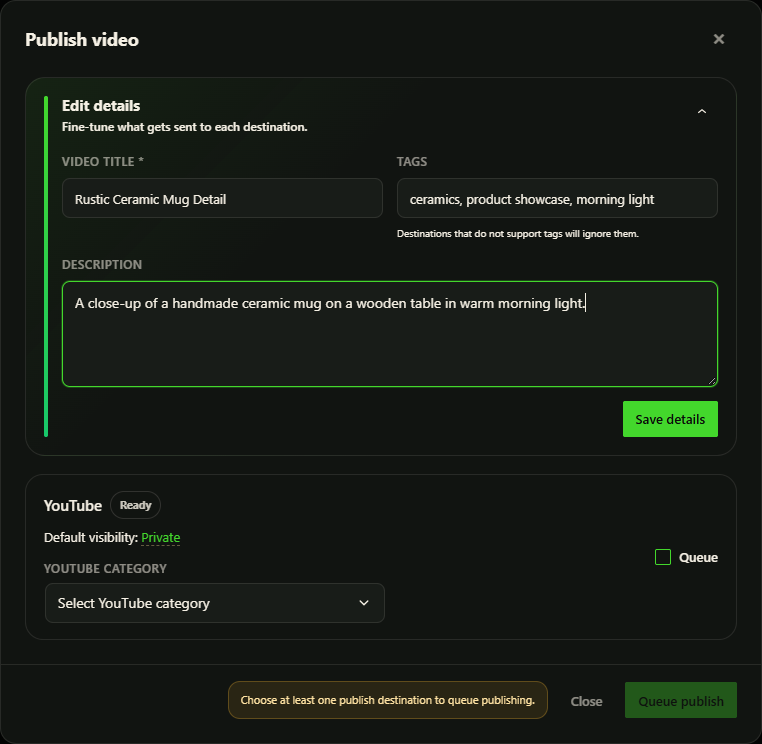
Publish to YouTube
Review a completed video’s title, description and tags, then queue it for your connected YouTube channel. Follow uploads in Publishing Activity.
- YouTube channel connections through Google OAuth
- Editable publishing titles, descriptions and tags
- Publishing Activity with saved links and retry controls
- Publish individual videos with Free or merged videos with Pro
- More publishing destinations planned for Pro
Publishing review
Free version
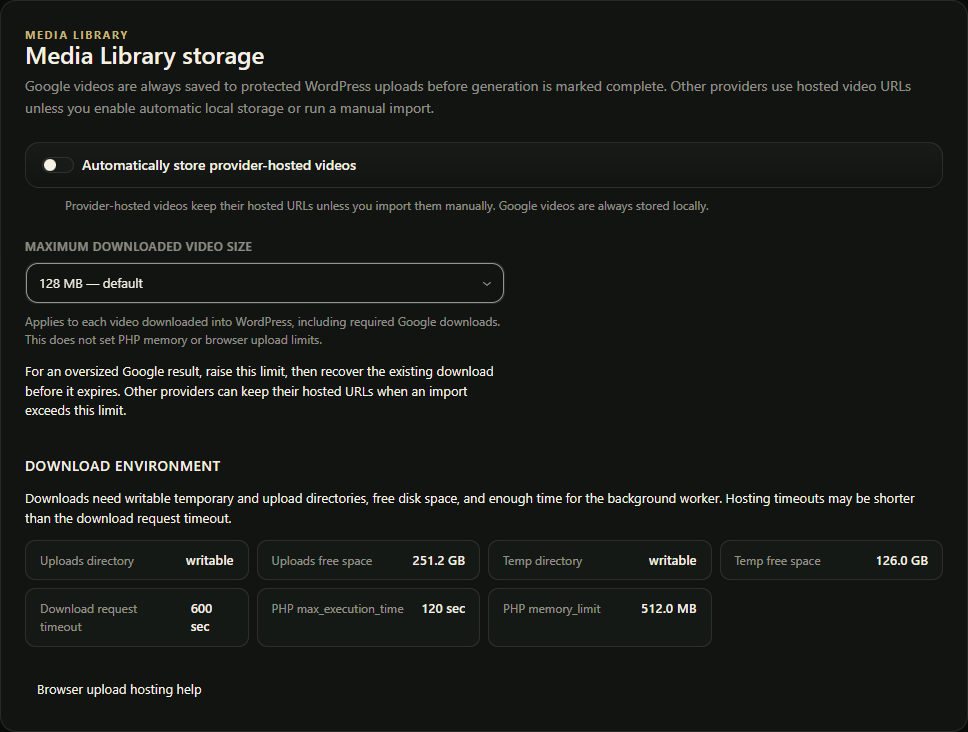
Choose how you store and download videos
Hailuo clips stay provider-hosted by default. Enable protected Media Library storage when you want local copies, or download an available completed clip.
- Signed local playback and download URLs
- Thumbnail previews for completed videos
- Protected local Media Library storage
Video storage
Compare
Free vs Pro workflows
Pick the plan that fits your workflow.
| Feature | Free | Pro |
|---|---|---|
| Generation & providers | ||
| Text-to-video | ✓ | ✓ |
| Image-to-video with supported frame inputs | ✓ | ✓ |
| Hailuo (MiniMax) and Google | ✓ | ✓ |
| Native AI audio on supported models | ||
| Library, storage & publishing | ||
| Video Library with status tracking | ✓ | ✓ |
| Gutenberg embed block and shortcode | ✓ | ✓ |
| Video previews, thumbnails and downloads | ✓ | ✓ |
| Background generation status checks | ✓ | ✓ |
| Encrypted provider settings and completion notifications | ✓ | ✓ |
| YouTube OAuth, publishing and activity history | ✓ | ✓ |
| Signed local playback and download URLs | ✓ | ✓ |
| Product Videos · Pro | ||
| Product Videos for WooCommerce · up to 20 ordered clips | ✕ | ✓ |
| Product Video styles | ✕ | ✓ |
| Auto scene planning and Custom prompts | ✕ | ✓ |
| Gemini Nano Banana start image generation | ✕ | ✓ |
| Review prompts and start images before video generation | ✕ | ✓ |
| Projects & workflow · Pro | ||
| Projects and project assignment | ✕ | ✓ |
| Tracked batch runs, project dashboard and retry controls | ✕ | ✓ |
| Browser-based clip ordering and compatible video merging | ✕ | ✓ |
| Merged-video embeds and YouTube publishing | ✕ | ✓ |
| Save prompts as reusable templates | ✕ | ✓ |
| Generation history | ✕ | ✓ |
| Model-aware camera motion · Hailuo, Google | ✕ | ✓ |
| Favorites and advanced library filters | ✕ | ✓ |
| Licensing & support | ||
| Site licenses | Unlimited | 1, 3 or 15 sites |
| Annual software price · provider usage separate | $0 | From $40/year Billed annually |
| Community support | ✓ | ✓ |
| Pro support response target · 24 hours | ✕ | 24-hour target |