
Fix failed connection tests by checking saved credentials, provider account access, and outbound HTTPS connectivity.
Content reviewed: October 18, 2026.
General checks
- Confirm the provider account exists and can access the API.
- Copy credentials exactly, without extra spaces.
- Save credentials before testing.
- Remember that masked placeholders can mean a secret is already saved.
- Confirm the WordPress server can make outbound HTTPS requests.
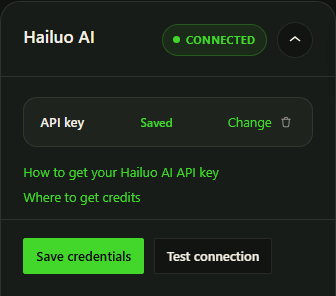
Hailuo checks
- Hailuo / MiniMax needs an API Key.
- Invalid API Key usually means the wrong MiniMax Interface Key was copied or the key was revoked.
YouTube checks
- YouTube needs Client ID and Client Secret.
- The OAuth redirect URI must match exactly.
- OAuth stores a refresh token after authorization.
- Google apps in Testing mode require the connecting account to be a test user.
Google and image access
Choose the correct Google connection source and save a supported Gemini text model. Check API access, billing and quota in the provider account. Image access is checked separately from text and video access. If an older OpenAI preference is saved, select Gemini and save the change.
Gemini prompt setup and Gemini opening images explain the separate checks.