
Fix YouTube connection and upload problems in the VidFlow AI publishing workflow.
Content reviewed: October 18, 2026.
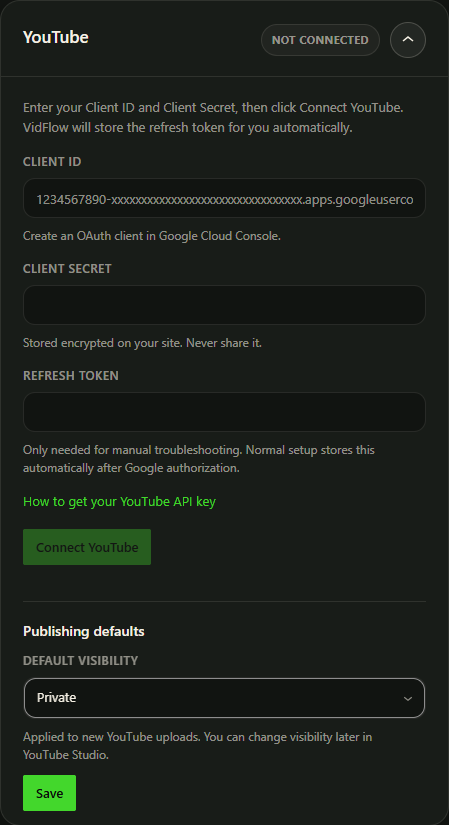
OAuth setup checks
- YouTube Data API v3 is enabled.
- Google consent screen is configured.
- Testing apps include the connecting user as a test user.
- Authorized redirect URI exactly matches the value shown by VidFlow AI.
- Client ID and Client Secret are saved correctly.
Upload checks
- The video is complete.
- The video source is reachable by the WordPress server.
- The publish title is filled in.
- Visibility defaults are set as private, unlisted, or public as intended.
- Large uploads are within server/PHP limits.
- Background tasks are running.
Use Publishing Activity
- Review status and error messages.
- Retry failed jobs when the cause is fixed.
- Open published links when available.
Before another upload attempt
Save edited details, then Queue. A previous successful destination link can remain visible while the current attempt is still running.
A Google generation key does not authorize YouTube. Google video generation uses your Google API key; YouTube publishing still uses its own OAuth client and channel authorization.