
Understand what data VidFlow AI stores locally and what it sends to configured external services.
Content reviewed: October 27, 2026.
Stored in WordPress
- Provider credential secrets encrypted in WordPress.
- Video job metadata such as title, prompt, provider, settings, status, task IDs, and media URLs.
- Optional local Media Library video attachments and thumbnail attachments.
- Publishing logs, destination status, and published links.
- Pro project, batch, merged-video, favorite, template, and history data when Pro is active.
Sent to generation providers
- Saved provider credentials when testing or generating.
- Prompt and selected provider settings.
- Reference image URL or image data when supplied.
- Provider task IDs while polling.
Sent to Google / YouTube
- OAuth client data and authorization/token requests when connecting YouTube.
- Channel verification requests.
- Video bytes and publish metadata when uploading to YouTube.
What VidFlow AI does not do
- Does not resell provider credits.
- Does not include provider generation credits.
- Does not send product data, prompts, credentials, or media to a VidFlow-owned API.
- Does not make Pro a provider access gate.
Data deletion
- Delete individual videos from the Video Library when you no longer need them.
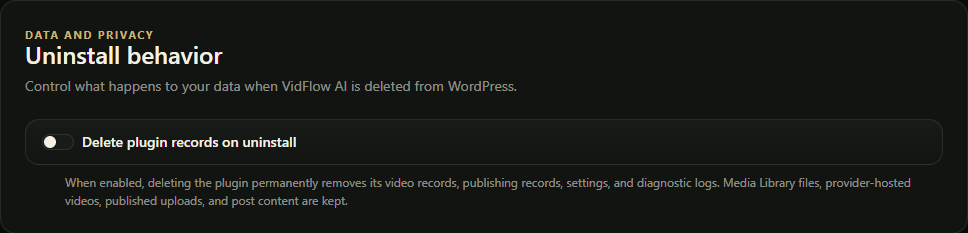
- Use uninstall cleanup only when you intentionally want VidFlow data removed during plugin uninstall.
Pro product data and separate requests
Product Video Auto sends two text requests (storyboard, then scene prompts) to the selected text connection. The requests can include the current product title (up to 300 characters), full and short descriptions (up to 2,000 characters each), and local style guidance, including unsaved editor text. The prompt contains no image bytes or separate price, category, or tag fields. The selected credential is sent separately to authenticate the provider request and is not part of the prompt. Custom prompt does not call a text provider.
Pro opening images use Gemini Nano Banana 2.1. Auto sends the original product image and a prompt containing selected product details, style guidance and the scene prompt. Regenerate Image sends the displayed opening-image prompt and original reference image. Check model access uses your saved Google credential and the image-model ID. Video generation sends the reviewed prompt, supported Start and End Frame data and selected settings to your chosen provider. Bound Product Video drafts keep frame controls locked and exclude End Frames. Assigning an existing video does not send product details to a generation provider.
Google and retention
Google video generation and compatible Pro Gemini tools share the Google key saved in VidFlow AI. Uninstalling Pro keeps this key available to Free. WordPress-managed credentials stay with WordPress. Google stores interactions for 55 days on paid tiers or one day on the Free tier; generated files generally expire after 48 hours. Google videos are saved locally. Hailuo videos can remain provider-hosted unless local storage is enabled. Image requests can be submitted for 24 hours, and temporary scene-image files remain available for six more days for recovery. Submission records remain after temporary files are removed. Older image results without a scene link have a ten-minute cleanup period. Saved media and backups follow your site’s deletion settings. See the request-recovery guide.